Introducing

Paperless daily timesheets and weekly timecards — built for film & TV production.

Contact Us timesheets@zipzapservices.com
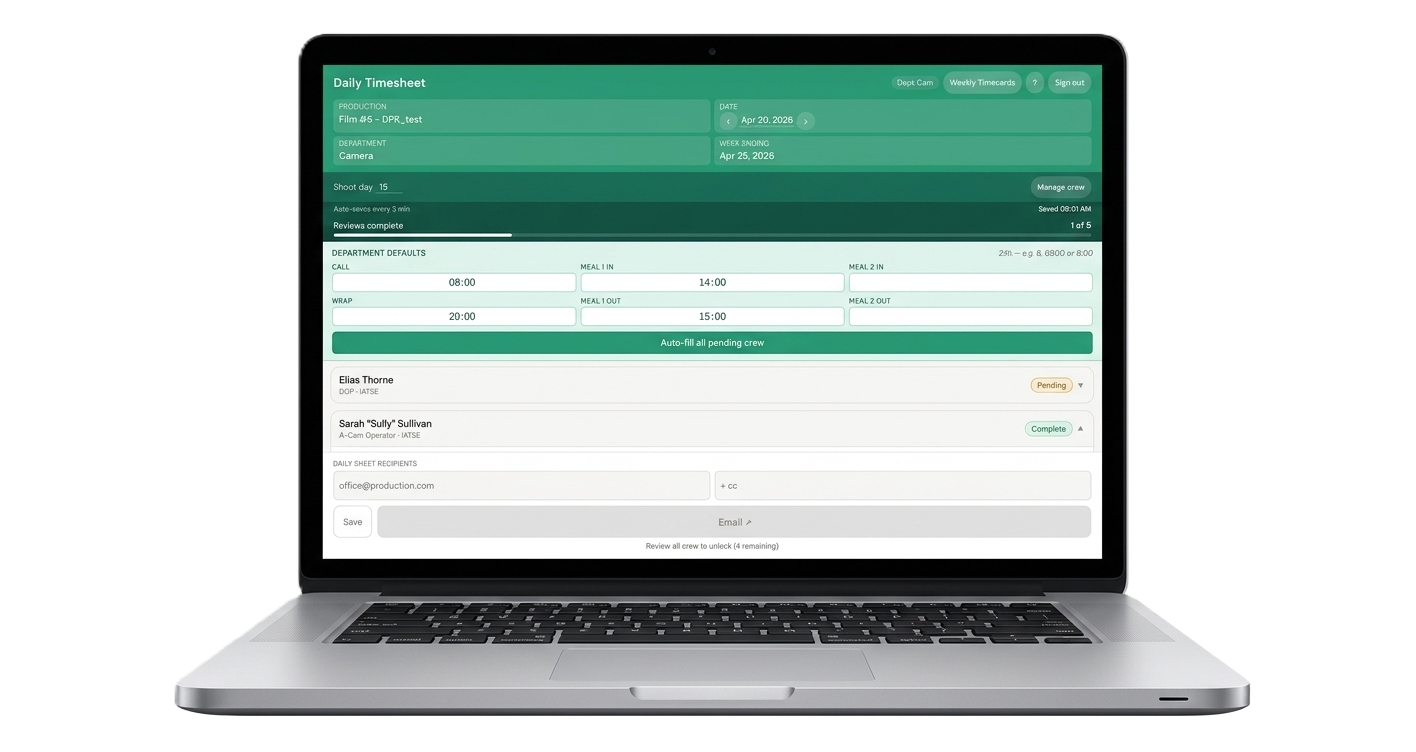
Desktop view Mobile view

Paper timesheets
are eating your day.

  • Daily times entered by hand — then re-entered again for weekly timecards
  • Crew signatures require physical paper — or chasing people down
  • Payroll documents sent late, scribbled handwriting, or lost entirely
  • Building the Production Report from scratch every single day
Rev. 4
Daily Production Timesheet
Prod: Film Proj. Dept: Camera Date: Mon Apr 14
NameCallM1 InM1 OutWrapSig
D. Moreau7:0013:0014:1020:30
S. Okafor7:0013:0014:0020:00
R. Tanaka6:3013:0013:4520:00
P. Iglesias7:0013:0014:0021:15
M. Leclair6:4513:0014:0020:00
Re-keyed into the payroll system. Again.

One place.
Zero double entry.

Enter times once. Timecards build themselves. Digital PDFs go straight to payroll — from any device on set.
Daily autofill

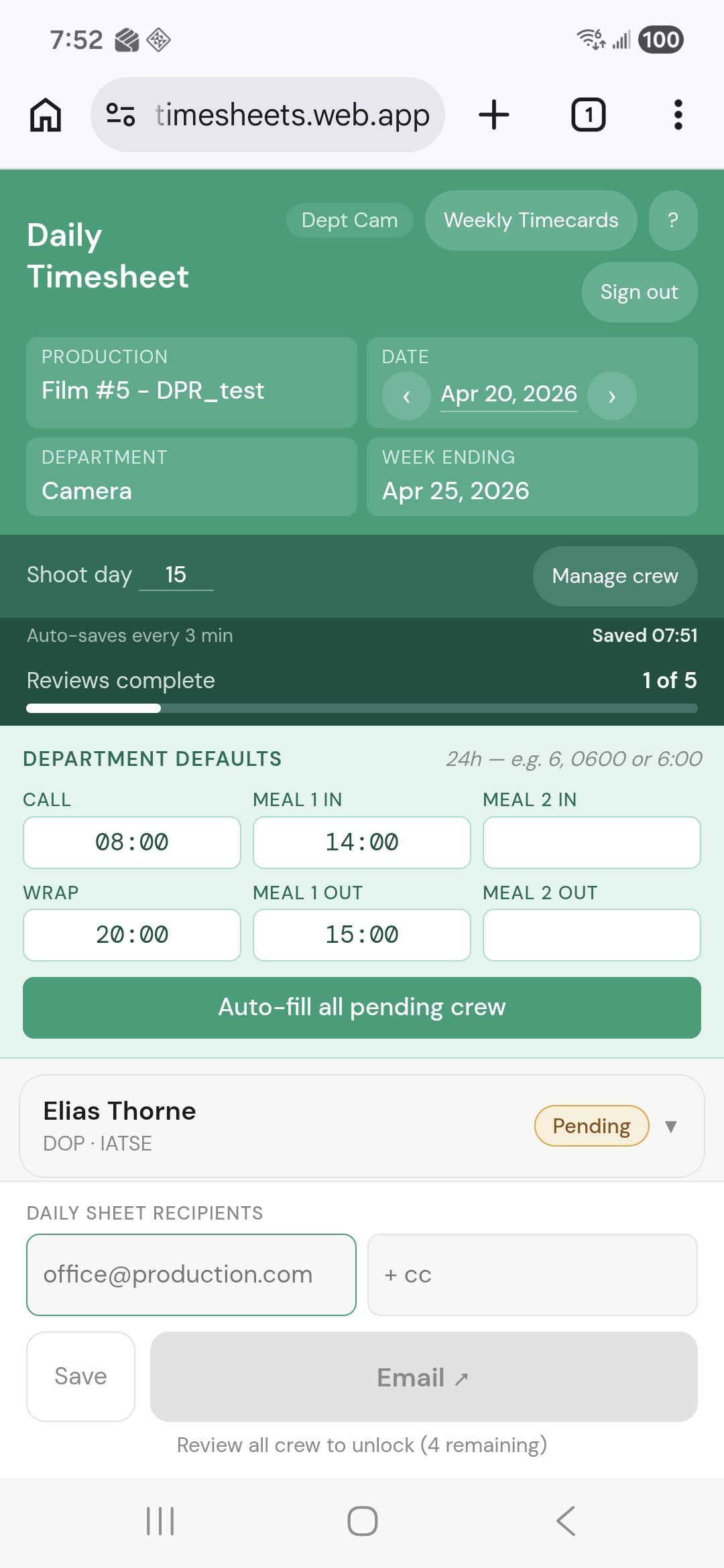
Set defaults.
Fill the whole dept
in one click.

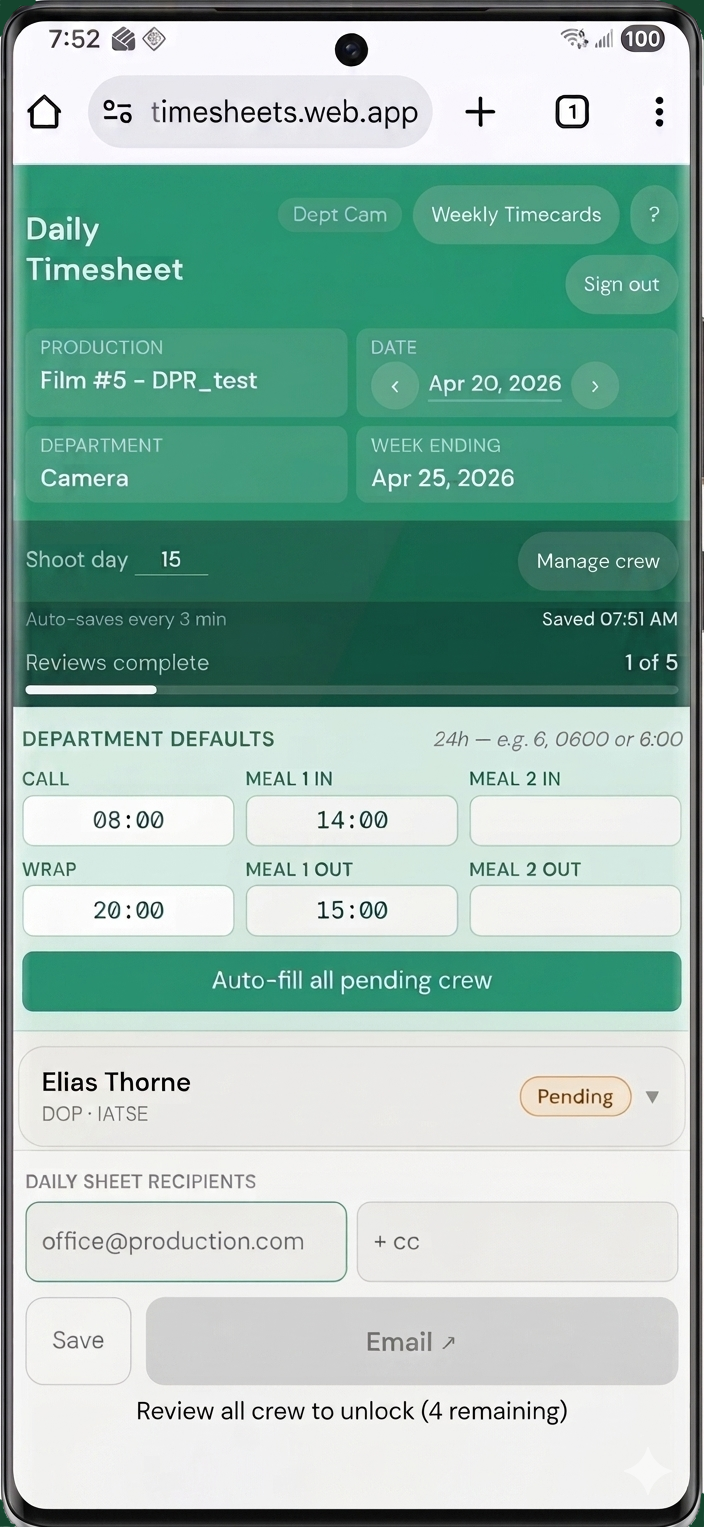
Department Heads set a call time once. Every pending crew member fills automatically — then drill into any crew card to adjust times, add notes, or flag travel.
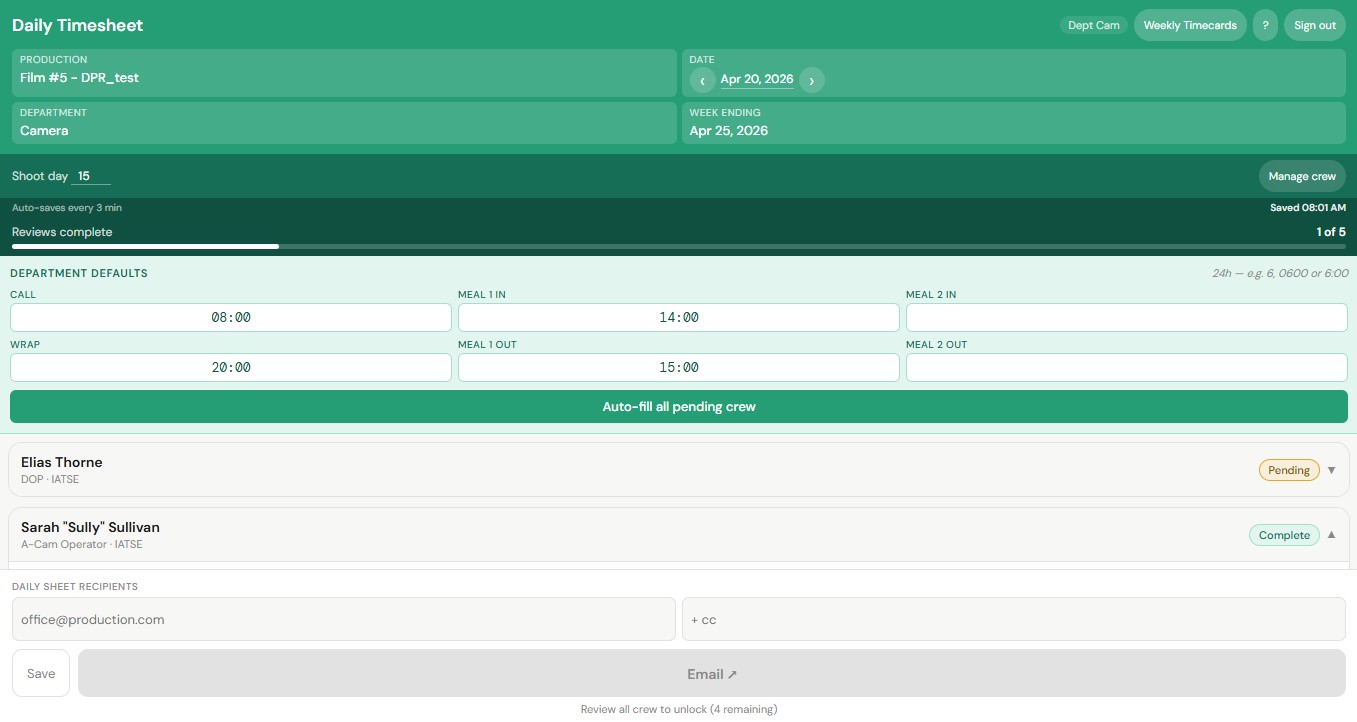
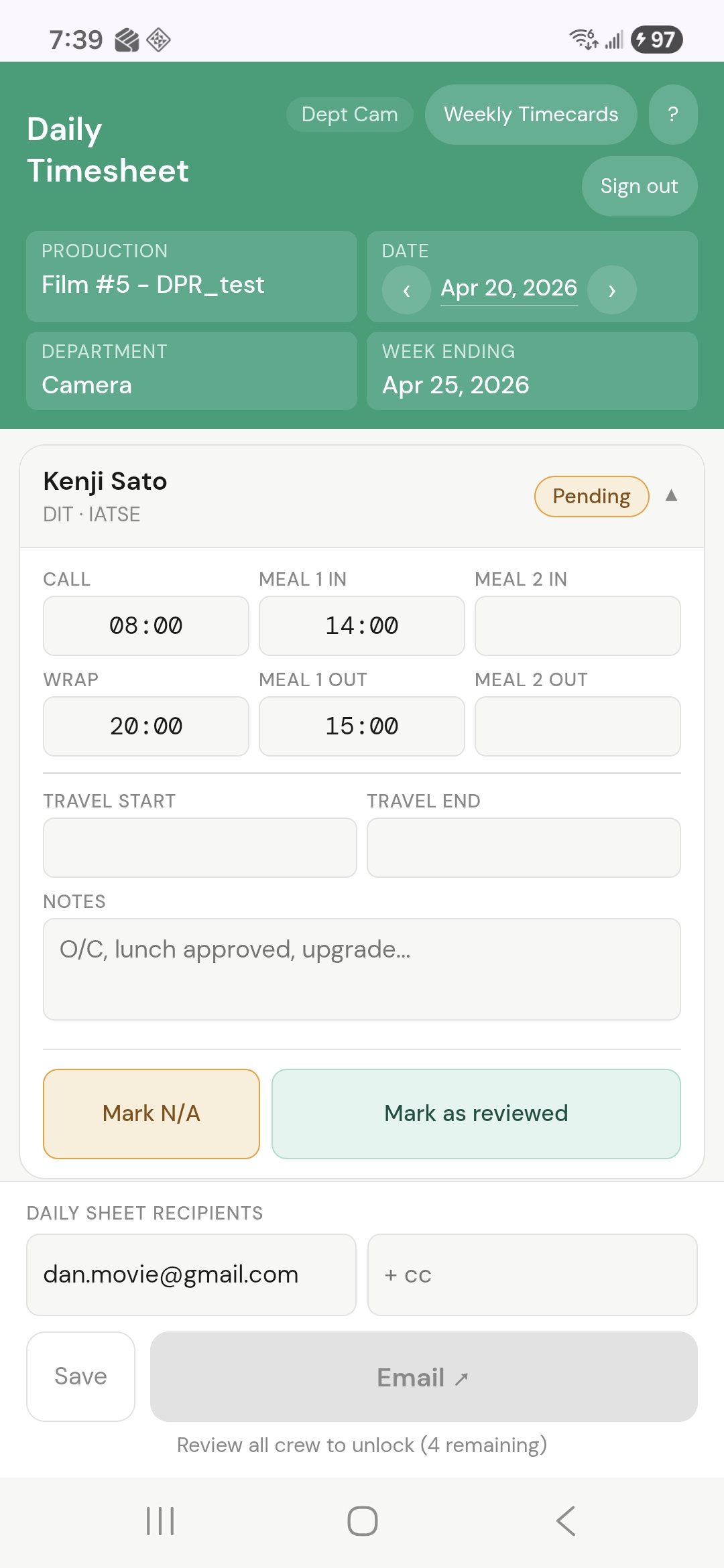
  • Times converted to union standards (6-min, 10-min, 15-min increments)
  • Per-crew notes: box rentals, upgrades, lunch approvals
  • Travel start/end fields built right in
  • Mark N/A for crew not working that day
Desktop dept overview Individual crew entry on mobile
Mobile dept overview Individual crew view

Works on
any device.

Open a browser on any phone and the full timesheet is right there — optimised for small screens, designed for the pace of a shooting day.

  • Touch-friendly layout — usable with one hand
  • Works on iOS, Android, any modern browser

All workdays.
Already filled.
Ready to sign.

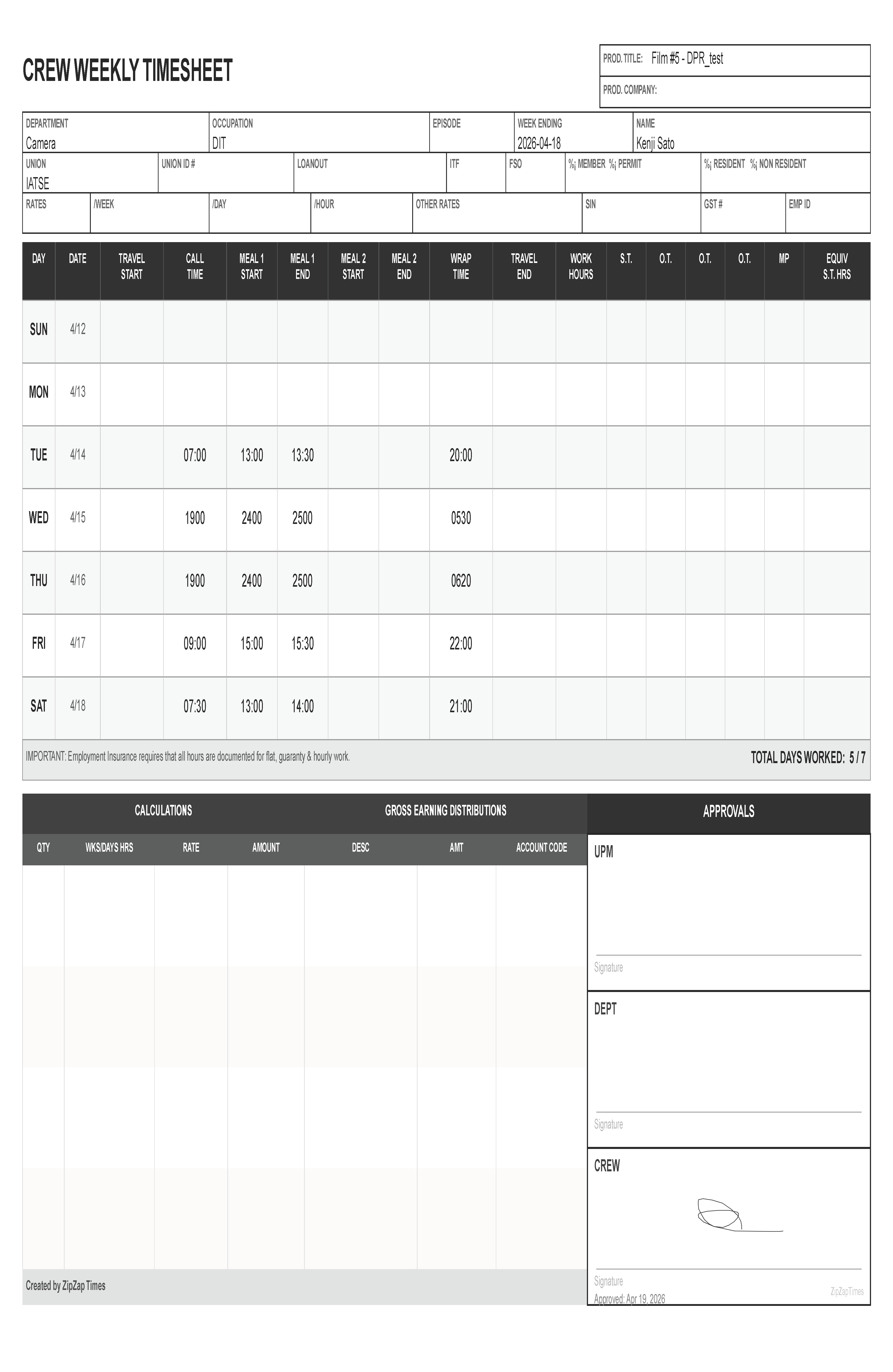
The weekly timecard builds itself from the daily entries — no re-keying. Dept Heads review, then get every crew member's signature with one tap.
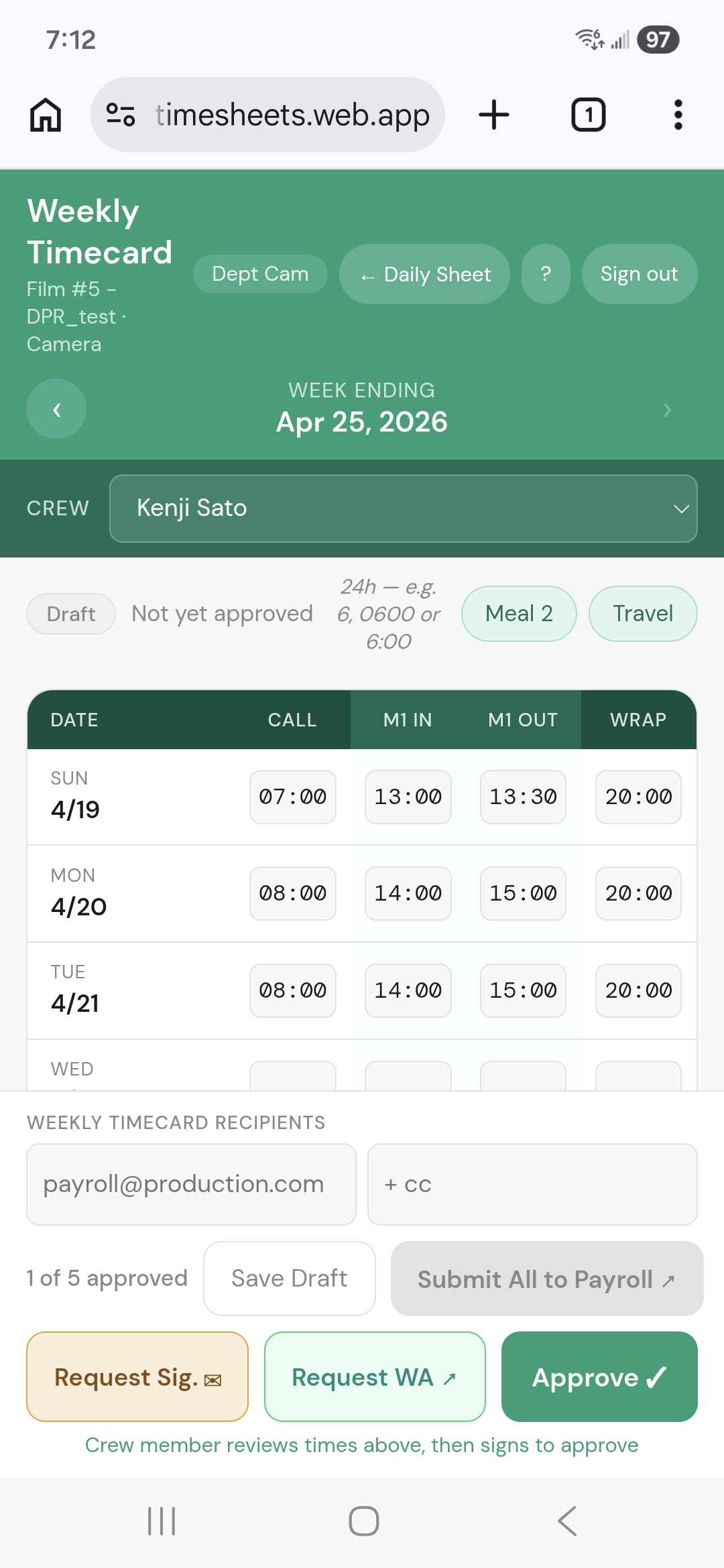
  • Request Sig — sends an email signature request link
  • Request WA — sends the link via WhatsApp for crew off-set
  • Approve — Crew member signs off directly, on-site
  • Submit all to payroll when all crew is approved
Weekly Timecard on mobile

Daily times become weekly timecards.

Automatically. The data entered Monday is already in Friday's timecard.

Step 01
Enter Daily Times
Dept Head sets defaults, auto-fills the whole crew, then saves.
Step 02
Daily Sheet to Payroll & Production
PDF daily sheet emailed directly to the production office — same day, no scanning.
Step 03
Weekly Timecard Built
All workdays roll up automatically. No spreadsheet, no re-keying.
Step 04
Crew Reviews & Signs
Dept Head sends a signature link via email or WhatsApp. Crew signs from any phone.
Step 05
Weekly Timecard to Payroll
Signed weekly PDFs sent straight to payroll — wrapped up and filed, no paper trail needed.

Every doc payroll needs.
Already formatted.

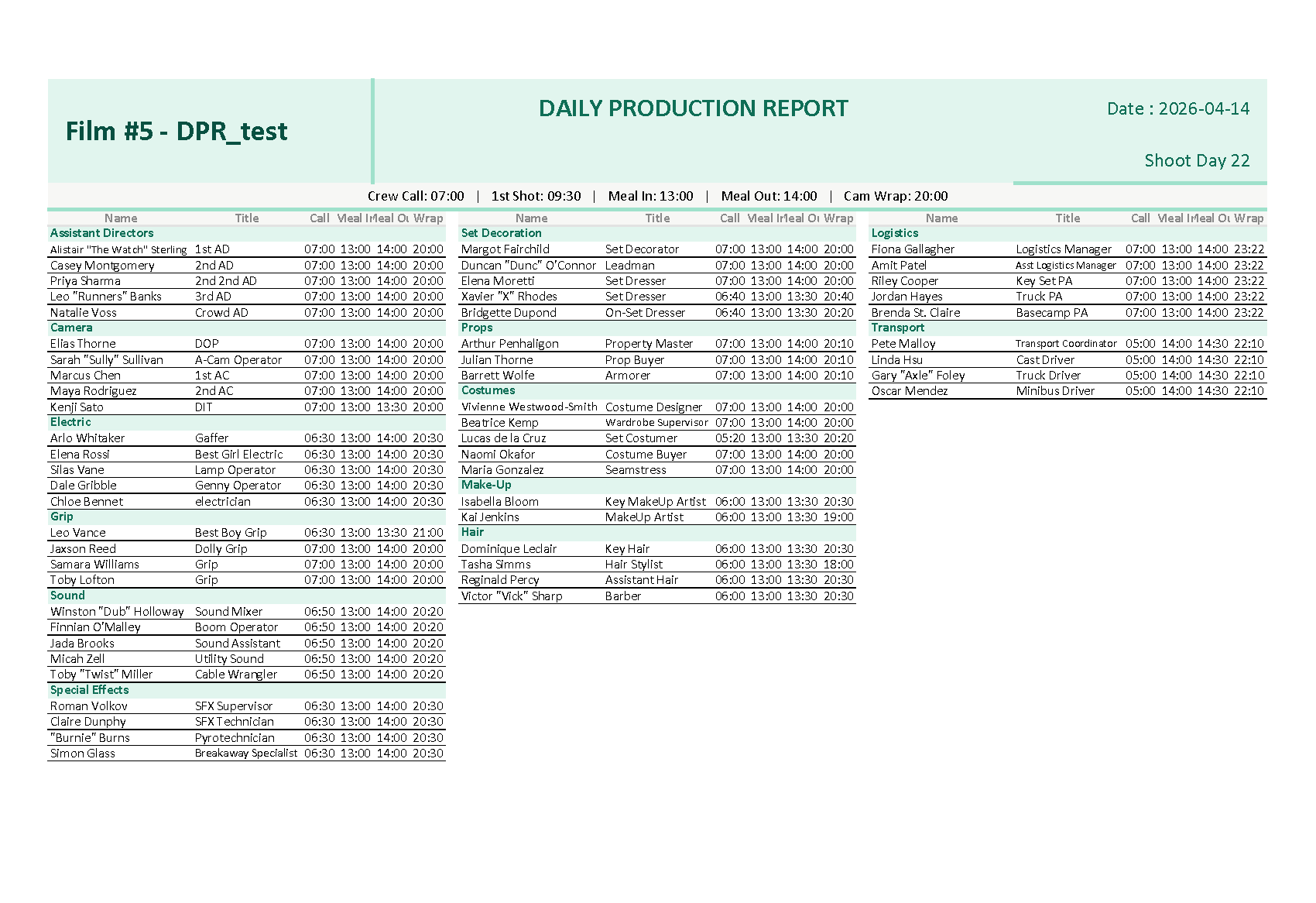
One workflow produces all the documents — daily sheets, weekly timecards, and a ready-to-edit Production Report start file.

PDF Output
Daily Production Timesheet — Camera · Apr 19, 2026
Submitted
NameTitleCallM1 InM1 OutWrapNotes
Elias ThorneDOP07:0013:0014:0020:00
Sarah "Sully" SullivanA-Cam Op07:0013:0014:0020:00
Kenji SatoDIT07:0013:0013:3020:00O/C, lunch approved
Weekly Timecard PDF
Weekly Timecard
Daily Production Report
DPR Excel
Interested?

Less paperwork.
More filmmaking.

Crew Timesheets runs in any browser — no install, no IT department, no per-seat licensing headaches. Get in touch to learn more.

timesheets@zipzapservices.com
Dept Heads
UPMs
Coordinators
Payroll
Studio Execs